
Bebot Music App Review

This post may contain affiliate links; please see our terms of use for details.
App Details
Price: $1.99
Where to Buy: Find Bebot at the iTunes Store
Developer: Normalware
Devices: iPhone, iPod touch, and iPad (Optimized for iPhone 5)
Operating System: Requires iOS 5.1.1 or later
Categories: Cause & Effect, Music & Sounds
Description of Bebot
Bebot is a super simple app that takes no time to figure out. You touch the screen and the robot sings. You move your fingers and his robot synth voice goes up and down.
That’s it.
And my son thinks it’s hilarious!
There are options to change the style of the robots voice, but other than that, it’s just a simple (and silly) cause and effect app.
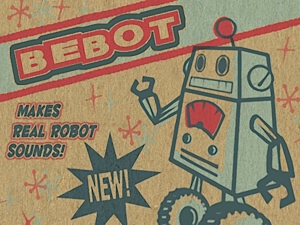
As long as your finger or hand is touching the screen the robot is making a noise and as soon as you let go, he’s quiet. The feedback is instant and consistent: No touch, no sound; constant touch, constant sound.
Another thing I really like about this app is that there is no limit to the number of sounds it can make at once. In other words, touch with one finger and the robot starts to make one sound, touch another finger and a different simultaneous sound starts… touch all ten fingers and you get a ten sound symphony (or cacophony, depending on your tastes).
It’s true that the sounds can be kind of grating to adult ears, but kids seem to love it!

Accessibility
There is very little to get in the way in this app. The entire screen is touchable and the settings button is tucked away in the lower right hand corner, making it hard for a child to accidentally bring up the settings during play.
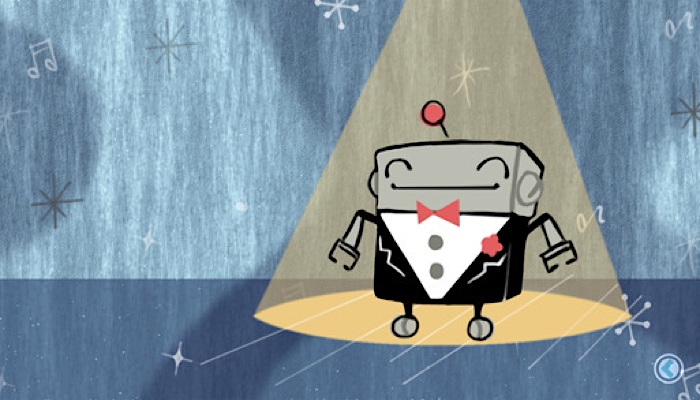
I do think the visuals are a little cluttered and the background does have a moving cloud effect that could be distracting, but Mr Robot is wearing a nice dark suit that makes him stand out for kids with low vision.
This is primarily a sound app though – you don’t need to “find” the robot to make him sing. You can touch anywhere on the screen!
Related Posts
Autism, Music Play
6 Ways Music Therapy Can Support Children With Autism
By harnessing the power of music, autistic children can develop communication, social, emotional, cognitive, and motor skills. Here’s how!

Music Play
Music and Movement: Enhancing Preschool Learning Through Songs
Music and movement activities for preschoolers can help enhance their cognitive skills and brain development while developing social, emotional, and academic skills.
iPad Apps and Accessibility, Visual Impairment
CVI Toddler Vision Eye Training App
This free digital visual training tool for computer or mobile devices is designed to help toddlers with CVI practice their visual skills.